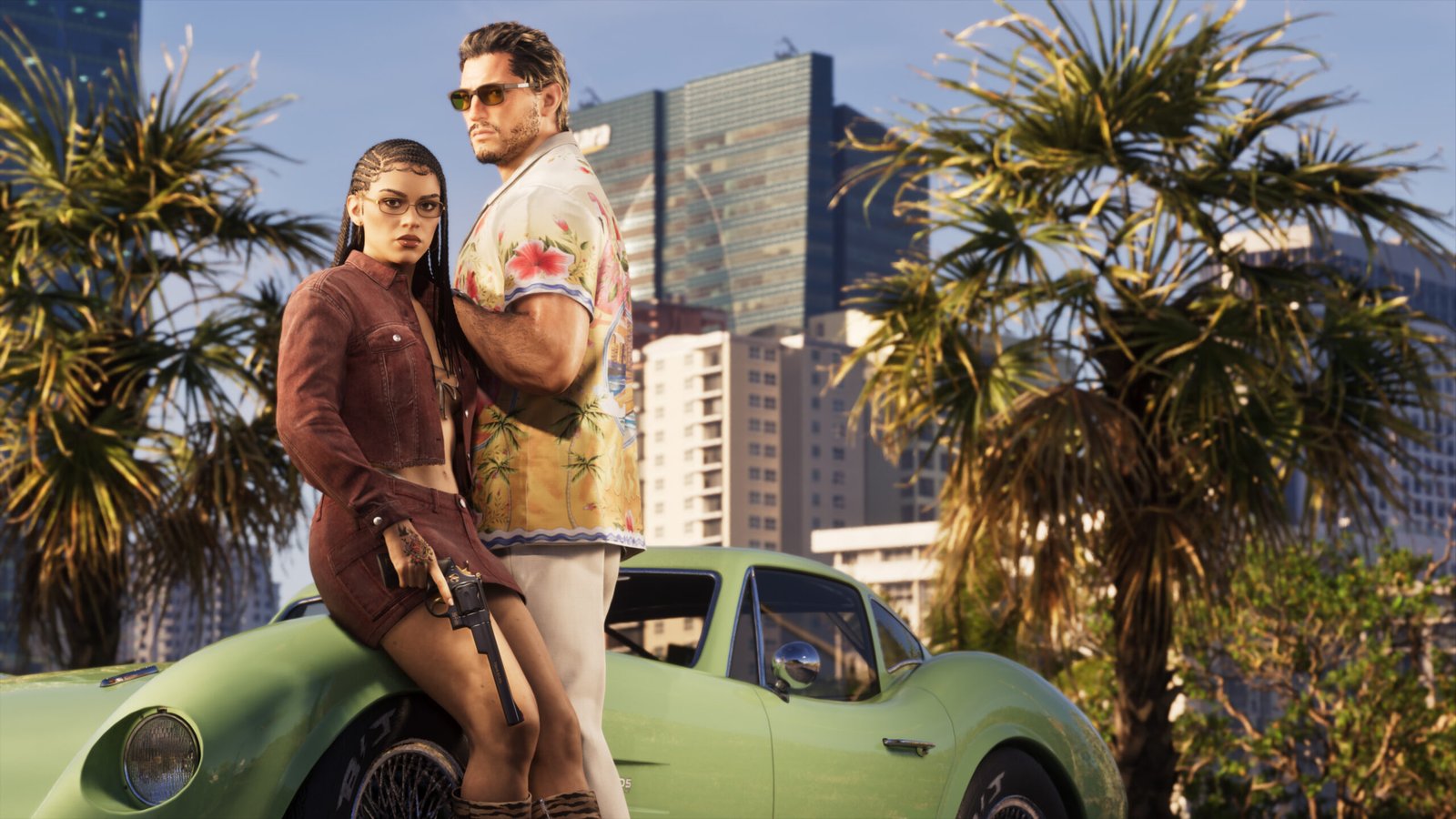
GTA 6 has been out less than a week, and players have already found ways to farm cash, unlock a hidden first-person camera and even lift the game’s 30 FPS cap on Xbox. The headline act is the GTA 6 money glitch: a loot loop at the Apollo Aggregates warehouse — the “Red Barn” — that pays roughly $10,000 of loot per run and can be repeated as often as you like.
This guide covers every glitch players are actually searching for, with steps taken from real guides and honest notes on what is confirmed, what has mixed reports and what is still unconfirmed. One important update first: Rockstar has now shipped its first post-launch patch, so older guides saying “no title update yet” are out of date — but the money glitch survived it.
Patch Status: Has Rockstar Fixed the GTA 6 Money Glitch?
No — not yet. Rockstar released its first post-launch update, version 01.002.002 on PS5 (1.0.2.2 on Xbox), on Monday 23 November 2026. It is a stability patch with seven fixes: crashes, weather getting stuck, autosave failures, story phone calls not triggering, being unable to lose a Wanted Level, the gym deadlift bar, and partners not handing over bags to sell to fences.
The money glitch is not mentioned in the patch notes, and it still works after the update, according to Notebookcheck and ComicBook (via HudWire). RockstarINTEL also reports that the patch did not remove the Xbox 60fps trick. That said, Rockstar can patch any of these glitches at any time, so treat everything below as current as of 24 November 2026 — and check back before a long farming session.
Warning: Back Up Your Save First
Before you try any glitch in this guide, make a manual save in a separate slot you never use for the glitch itself (Pause > Game > Save Game). Glitches can behave unpredictably, a reload can strand you, and some of these tricks — like the first-person camera glitch — can only be undone by loading an earlier save. Keep one clean backup save at all times, and never overwrite it with a glitched session.
Also worth knowing: GTA 6 has no online mode yet, so these glitches only affect your own story save. There is no ban risk for single-player exploits, but Rockstar can remove any of them with a patch.
The GTA 6 Money Glitch: Apollo Aggregates Loot Loop (The Red Barn)
This is the big one, reported by KeenGamer, Beebom, Polygon, IGN, Insider Gaming and Game Rant. The Apollo Aggregates warehouse — a red building players call the red barn — sits east of Hamlet in South Vice-Dale County, just north of Key Lento, by three rectangular pools off the highway. Inside is a drug deal gone wrong: cocaine, cash and marked bills, free for the taking.
The trick is that the loot respawns when you save and reload, while the bags already stashed in your car stay put. Repeat the loop and the money piles up.
How to do it
- Bring your own car or pickup. A stolen car loses whatever you put in it. A pickup holds around four stash bags; the white Apollo work van parked outside reportedly holds ten.
- Loot the warehouse. Take the cocaine from the teddy-bear van outside, the office tables and the safe (the safe opens with a right-stick minigame — Triangle on PS5, Y on Xbox), and grab the marked bills by the middle van.
- Stow the bags in your car. Bags must be in the trunk, not in your hands — bags you are carrying disappear after a reload.
- Make a manual save. Pause > Game > Save Game, in a slot you can reuse. Autosave won’t do.
- Load that save. Jason wakes near his house with the bags still in the car — and the warehouse is stocked again.
- Drive back and repeat.
How much does it pay?
Sources disagree on exact figures, so treat these as player estimates, not guarantees:
| Run | Loot value |
|---|---|
| First run | About $11,000–$11,280 (KeenGamer, Beebom); Polygon puts it closer to $8,000 |
| Each repeat | $4,000–$8,600, because some items only appear once |
| Pace | Over $10,000 every ten minutes once you know the loop |
The cash bag on the table, the cocaine in the first office, the cash in the counting machine and a Leroy Rook card come only on your first visit, which is why repeats pay less. One player reported on 20 November that they couldn’t get the loot to respawn at all — it can take a few reloads, or a few in-game days, so be patient.
Where to sell the loot
Loot value is not cash until you fence it. Sell the bags at Brian’s Lockup in southwest Key Lento (keypad 7700) — Brian pays into Jason’s mailbox a few in-game days later — or at Dunk’s trailer in Chapter 2. Donnie stops buying stolen goods after the “Swamped” mission. Note that the 23 November patch fixed a bug where partners wouldn’t hand over bags to fences, so selling should work more smoothly now.
The Chapter 1 trap
Do not farm this glitch in Chapter 1. Money made in Chapter 1 does not carry over — at the end of the chapter you lose pocket cash, Checking and the floor stash. Only Family Savings, up to $5,000, carries over. Farm from Chapter 2 onwards, or your hours of work will vanish.
No-reload variants
If you don’t want to save and reload, two other methods reportedly reset the loot: driving about half a mile away and coming back, or switching to the other character and straight back again. Vice reported a character-switch method on 21 November with a first-run payout of around $40,000 — far higher than any other source, so treat that figure with caution until more players confirm it.
Store Robbery Reset (Mixed Reports)
A second money method, reported by IGN and Polygon on 20 November, lets you rob the same stores repeatedly instead of waiting for their normal cooldowns. The steps:
- Rob the stores near Jason’s house in Key Lento — the burger restaurant, the gas station and the convenience stores along the beach road. They show as closed on the map afterwards.
- Lose your Wanted Level.
- Start any story mission that begins with a cutscene.
- During the opening cutscene, pause and select Restart Mission.
- After the mission restarts, pause again and select Quit Mission.
- Return to free roam: the stores you robbed should show as open again, with fresh loot.
Status: mixed reports. NiaMeowDB lists this one as “Mixed reports” and notes that one player couldn’t get it to work on 20 November. Polygon singles it out as the method that most looks like a genuine bug, which also makes it the most likely to be patched. IGN also points out that stores reset on their own fairly often anyway — the glitch just skips the wait.
Stash Bag Overfill (Unconfirmed)
One player claims a stash bag that caps at $3,200 can end up holding $4,000 if you stop filling it with cocaine at $2,800 and crack the safe last. This is unconfirmed — a single-player report with no guide or video backing it up so far. We are listing it because players are searching for it, not because we can vouch for it. Don’t build a farming session around it.
The “D-Pad Money Glitch” Is Actually the $250,000 Cheat
If you’ve seen a “D-pad money glitch” going around, it isn’t a glitch at all — it’s GTA 6’s official money cheat, entered with a D-pad sequence on your in-game phone:
- Code: Up, Right, Down, Left, Up, Left, Down, Right
- Effect: Instantly adds $250,000 to your cash
- How to enter: Press Up on the D-pad to open your phone, hold L1 (PS5) or LB (Xbox) and press R1/RB, then enter the sequence.
There are two big catches. First, cheats only unlock after you finish the main story — the Cheats menu appears under Progress only once the campaign is complete. (Sources disagree on the exact unlock for the $250,000 cheat itself: KeenGamer and Mobalytics say finishing the story is enough, while Polygon and GTA Map say you must also make $250,000 from fenced goods.)
Second — and this is the killer — activating any cheat disables saving for the rest of your session, along with trophies and achievements. You cannot save the $250,000, so the money is gone when you quit or reload. It’s a fun sandbox toy for post-story chaos, not a way to build lasting wealth. Always save manually before entering any cheat code.
First-Person Camera Glitch
GTA 6 has no official first-person mode at launch — Rockstar built the game around a third-person camera — but players discovered a camera glitch on day one (credited to YouTubers oneboyler and OrangeGuy) that locks you into first-person. It works on PS5 and Xbox Series X|S:
- Pause and open Settings > Controller.
- Change Touch Pad Button (PS5) or View Button (Xbox) from Map (1/2) to Camera (2/2).
- Get into the driver’s seat of any car.
- Press Up on the D-pad to open your phone — the camera switches to first-person while the phone is out.
- Press Circle (PS5) or B (Xbox) to close the phone, and immediately spam the Touchpad/View button.
- If you hit the camera button within the first frame or two of putting the phone away, the phone disappears but the first-person view stays.
It takes a few attempts to nail the timing. Once it works, you can walk, drive and shoot in first-person, and the mode is surprisingly polished. The catch: the only way back to third-person is reloading a save. Menus that change the camera, like shop menus, can also break the effect. Make a manual save before you try it.
Xbox Frame-Rate Unlock Glitch (Quick Resume 60fps Trick)
GTA 6 is capped at 30 FPS on all consoles, with no performance mode. But a Quick Resume bug discovered by Reddit user Meowwie64 on 20 November removes the cap on Xbox Series X|S — and Digital Foundry tested it and confirmed it works. You need a 120Hz display; a 60Hz-only TV can’t trigger it.
- In Xbox Settings, set the display output to 60Hz.
- Launch GTA 6 from scratch (quit it first if it’s in Quick Resume).
- When the six stars appear on the loading screen, press the Xbox button and switch the output back to 120Hz.
- Cold-launch a different game that isn’t already in Quick Resume, and wait until it passes its splash screen.
- Jump back into GTA 6 from Quick Resume — the 30 FPS cap is gone.
Before you get excited: this is not a smooth 60fps mode. Digital Foundry measured an average of about 36–37 FPS on Series X over an hour of play, hitting 50–60 FPS only in light scenes like staring at the sky, and barely above 30 in busy areas. Worse, game speed is tied to frame rate, so animations run at double speed or faster, and one tester found enemies freezing in place and stopping shooting until the game was restarted. Digital Foundry’s verdict: the locked 30 FPS cap gives a more even experience. Fully quitting GTA 6 restores normal play. The 23 November patch did not remove this trick, according to RockstarINTEL — but since it interferes with Xbox system-level vsync, Microsoft may be the one to block it.
FAQ
Is the GTA 6 money glitch patched?
No. Rockstar’s first post-launch patch (01.002.002, 23 November 2026) fixed crashes, autosaves and mission bugs, but the Apollo Aggregates money glitch is not in the patch notes and still works after the update, according to Notebookcheck and ComicBook. It could be patched in a future update, so don’t assume it will last forever.
How much does the GTA 6 money glitch make?
About $11,000 of loot on the first run and $4,000–$8,600 on each repeat, per KeenGamer, Beebom and NiaMeowDB — though Polygon puts the first run closer to $8,000. With the loop down, that’s over $10,000 every ten minutes. Remember the figures are loot value, not cash: you still have to sell the bags to a fence.
Can you get banned for using the GTA 6 money glitch?
No. GTA 6 has no online mode yet, so the glitch only changes your own story save. Rockstar’s only remedy is to patch it out in a future update.
Does the money glitch work in Chapter 1?
It works mechanically, but it’s pointless: money made in Chapter 1 doesn’t carry over, except for Family Savings up to $5,000. Wait until Chapter 2 to farm.
Can you save the $250,000 from the money cheat?
No. The $250,000 cheat (Up, Right, Down, Left, Up, Left, Down, Right) disables saving and trophies for the rest of your session, so the cash disappears when you quit or reload. Use the Apollo Aggregates loot loop for money you can actually keep.
Internal link: Planning your route to the Red Barn? See our full GTA 6 map guide — every Leonida region, county and Vice City area
Sources:
- NiaMeowDB, “GTA 6 Money Glitch: Apollo Aggregates Loot Loop” — https://meowdb.com/gta6/glitches/apollo-aggregates
- NiaMeowDB, “GTA 6 Glitches: Money Glitch and Fixes” — https://meowdb.com/gta6/glitches
- KeenGamer, “GTA 6 – Unlimited Money Glitch Guide” — https://www.keengamer.com/articles/guides/gta-6-unlimited-money-glitch-guide/
- Polygon, “GTA 6 Players Have Already Discovered an Infinite Money Glitch” — https://www.polygon.com/gta-6-infinite-money-glitch/
- GameMapa, “GTA 6 Money Glitch: Red Barn, Steps and Risks” — https://gamemapa.com/en/gta-6/guides/gta-6-money-glitch-red-barn-guide/
- HudWire, “GTA 6 Update 01.002.002 Patch Notes: All 7 Fixes” — https://hudwire.com/gta-6-update-1-002/
- TweakTown, “First GTA 6 update fixes weather, game crashes, wanted level glitches, and more” — https://www.tweaktown.com/news/114835/first-gta-6-update-fixes-weather-game-crashes-wanted-level-glitches-and-more/index.html
- Video Games Chronicle, “GTA 6: How to use the first-person mode glitch” — https://www.videogameschronicle.com/guide/gta-6-first-person-mode-glitch-grand-theft-auto/
- Insider Gaming, “How To Do First-Person Glitch in GTA 6” — https://insider-gaming.com/first-person-glitch-gta-6/
- TweakTown, “GTA VI can hit 60 FPS on Xbox Series X thanks to a Quick Resume bug” — https://www.tweaktown.com/news/114842/gta-vi-can-hit-60-fps-on-xbox-series-x-thanks-to-a-quick-resume-bug-though-with-a-few-catches/index.html
- KeenGamer, “GTA 6 – All Cheat Codes for PS5 and Xbox and How to Unlock Them” — https://www.keengamer.com/articles/guides/gta-6-all-cheat-codes-for-ps5-and-xbox-and-how-to-unlock-them/
- Polygon, “All Cheat Codes in GTA 6” — https://www.polygon.com/gta-6-cheat-codes-list-unlock/
Keep Exploring Leonida
- How to Make Money Fast in GTA 6 – legit methods that never get patched
- GTA 6 PC Requirements Checker – can your PC run it when it lands?
- GTA 6 Tips and Tricks – 22 things the game never explains
2 thoughts on “GTA 6 Money Glitch: The Red Barn Loot Loop and Every Working Glitch (Still Unpatched After the Nov 23 Update)”